
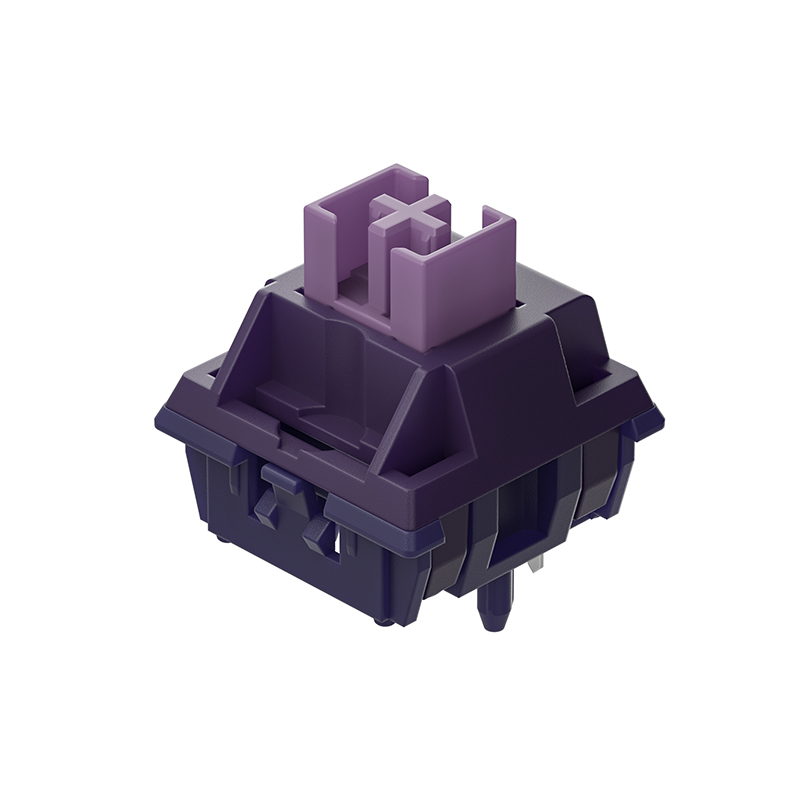
Each press of a key engages its core component: the keyboard switch. Located beneath the keycap, this compact mechanism detects your input and sends the signal to your computer. Far more than a basic button, the type of keyboard switch you select shapes your entire interaction determining the tactile feel, audible feedback, and responsiveness of every keystroke. Whether you game, type, or need a replacement, knowing about switches is essential to choosing a keyboard that truly suits you.
The Main Types of Keyboard Switches
While there are many varieties, most switches fall into three main categories based on their feel and actuation:
1. Linear Switches: These provide a smooth, consistent keystroke from top to bottom without a tactile bump. They are favored by many gamers for their quiet operation and fast, fluid key presses, allowing for rapid, repeated actuations.
2. Tactile Switches: These have a noticeable bump in the middle of the keystroke that gives physical feedback to let you know the press has been registered. This tactile point helps with typing accuracy and speed, making them a popular choice for office work and general typing.
3. Clicky Switches: These offer the pronounced tactile bump of a tactile switch, but also add a distinct, audible “click” sound at the actuation point. They provide the most auditory and physical feedback, which many typists enjoy, though they are louder and may not be suitable for shared spaces.
Why Your Choice of Keyboard Switch Matters
The right keyboard switch directly impacts your comfort, performance, and enjoyment. Here’s what to consider:
·Feel and Feedback: Do you prefer a smooth, quiet motion, a confirming bump, or a satisfying click? Your personal preference for tactile and auditory feedback is the most important factor.
·Actuation Force: This is the amount of pressure (measured in grams) needed to register a keypress. Lighter switches can reduce finger fatigue during long typing sessions, while heavier switches can help prevent accidental presses.
·Durability: Quality switches are rated for tens of millions of keystrokes, ensuring your keyboard will last for years of heavy use.
·Customization: With the rise of mechanical keyboards, many users can now customize their typing experience by choosing individual switches for different keys or even building their own keyboard from the ground up.
Finding the Right Switch for You
The best way to choose is to try different types. Many electronics stores have display models, and you can purchase inexpensive “switch testers” online to sample various feels at home. Consider your primary use case: a linear switch might be ideal for gaming, a tactile one for general productivity, and a clicky switch for those who love the classic, responsive keyboard feel. The perfect keyboard switch is the one that feels best for your fingers and suits your working or gaming environment.
A keyboard switch is the heart of your typing experience. Taking a little time to understand the differences can lead you to a keyboard that not only performs well but is also a genuine pleasure to use every day.
Post time: Jan-08-2026